
Melvor Idle 2 Stop Conditions: How to Use Reach Level
Set a Reach Level stop condition in Melvor Idle 2, pick the right milestone for a skill, and troubleshoot training that stopped early.
When should you use Reach Level?
Use it when the next thing you want depends on a skill level. The Early Access launch patch added this stop condition so a skill can stop automatically at a chosen level. If you need a specific number of materials or finished items, plan around the recipe and your inventory instead.
| Your next goal | What to check |
|---|---|
| Unlock a recipe | Read the recipe’s required level and use it as the target. |
| Make enough supplies | Work backward from the amount you need and check how many ingredients remain. |
| Continue an Act 1 task | Read the exact requirement in the quest panel before choosing how to train. |
How do you set up a short test?
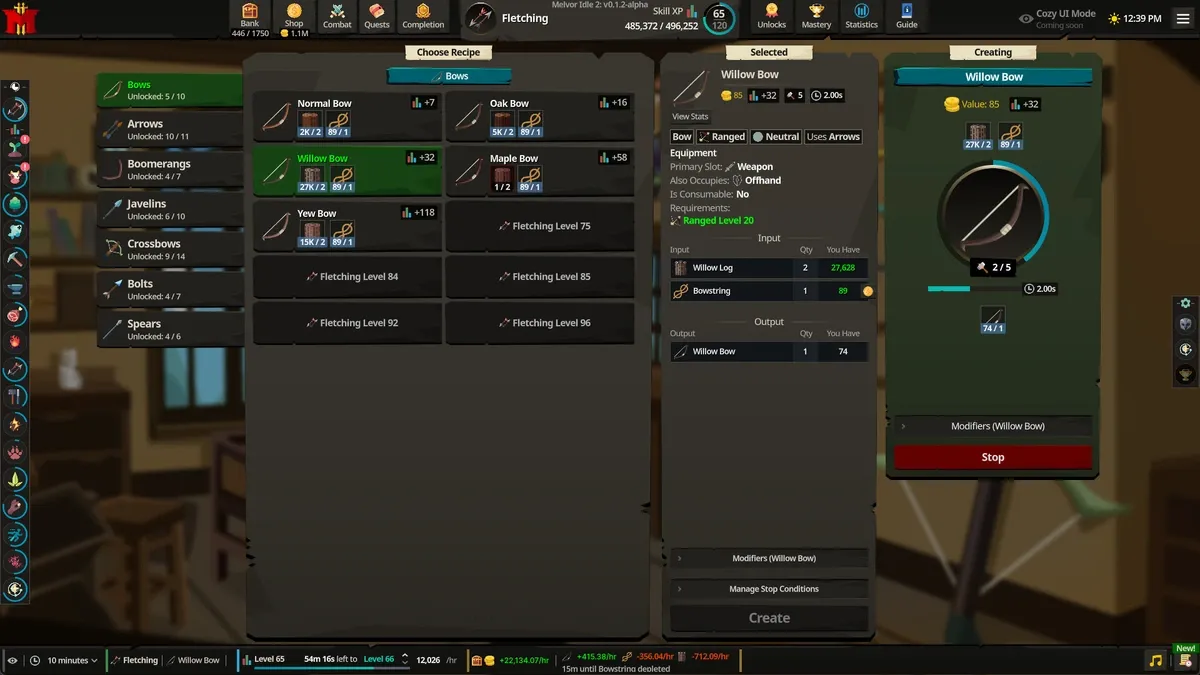
Choose an available action in the skill you want to train and open its stop conditions. Select Reach Level, enter a target above your current skill level, and check the active action after applying your changes. Test with a nearby level while you are at the computer before relying on it for a long session.
- Open the recipe or action you intend to run.
- Look for Manage Stop Conditions where the action supports it. If the control is unavailable, check that you are on the action or recipe panel.
- Select Reach Level and use the level shown for your next planned unlock.
- Start the action and check it is active. For a recipe that consumes materials, verify you have enough to get meaningful progress.
How do you choose between a level, a batch, and a Bank target?
Use Reach Level for an unlock, Recipe Creations for a number of completed crafts, and Products Gained for new output. Where offered, Products Owned targets the amount in the Bank, including items you already have. Match the unit to your goal before starting. Official level target · Stop-condition menu examples
For example, an Arrow Shaft craft makes 20 shafts at base output. If your Bank already has 100 and you want 400 total, either target 400 owned or make 300 more. At base output that takes 15 creations and 15 Normal Logs. Output bonuses can change how quickly you hit an item target. Arrow Shaft recipe
Why did training stop short of the goal?
First check the active recipe, remaining inputs, and the level you entered. A level target sets the point at which training should end, but it does not supply missing materials. If the target was already reached after another training session, set the next meaningful milestone before starting again.
Use the beginner route to find your next quest requirement. If your next milestone is equipment rather than a recipe, use the Quick-Equip guide to compare it with the loadout you plan to use.
Sources
- Developer’s Early Access patch notes, under the Reach Level section.
- Official Steam store screenshots, for the Fletching interface shown on the cover. This is a prerelease screenshot, so it shows the stop-condition control without the new Reach Level option open.
- Browse more skill guides.
Related Articles
combat
Melvor Idle 2 Idle Combat Guide: Check Auto-Eat and Enemy Damage
Check Auto-Eat, enemy damage, special attacks, and supplies before committing to unattended combat in Melvor Idle 2.
guides
Melvor Idle 2 Beginner Guide: What to Do First
Start Melvor Idle 2 with Act 1, turn quest requirements into a training plan, and pick a useful action before your first offline session.
guides
Melvor Idle 2 Mobile Release: Android and iOS Plans
When is Melvor Idle 2 coming to mobile? Check the official 2027 Android and iOS window, the Steam launch date, and what’s known about save transfers.
Was this helpful?
Thanks for the feedback!